Bleeding the Grid: Simulating Datamosh Corruption in py5
2026/7/10
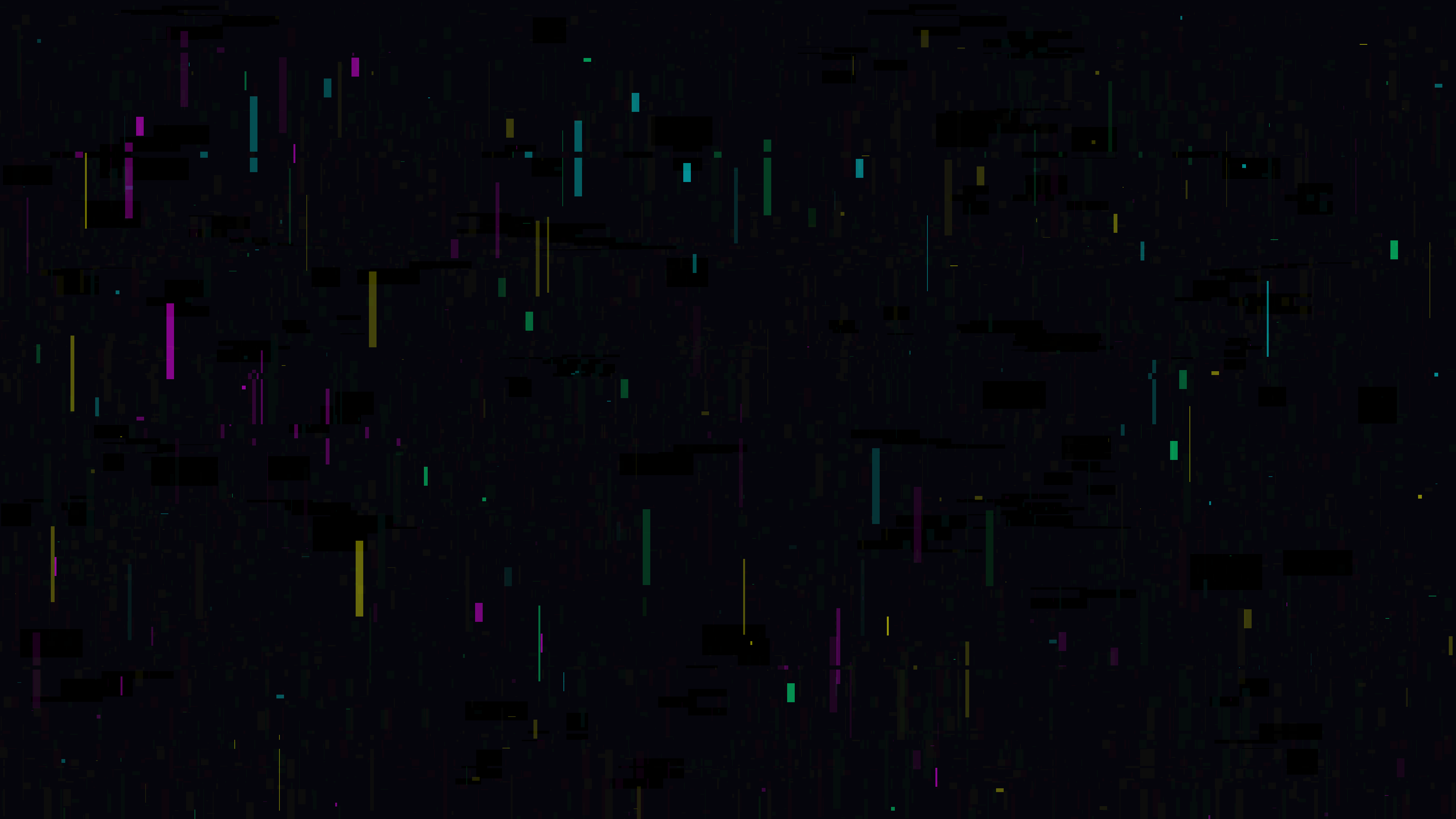
“Neon Cellular Datamosh” is a generative media art piece that visualizes the terrifying beauty of digital decay. Unlike traditional generative art, which often focuses on maintaining mathematical perfection and geometric harmony, this artwork is a study in intentional corruption. It explores what happens when a structured digital system — represented by clean, high-saturation cellular rectangles — is overwhelmed by relentless, infectious data corruption. By leveraging Python, the py5 drawing library, and raw NumPy pixel manipulation, the simulation continuously rips apart and color-shifts the underlying geometry, leaving neon trails that bleed across the canvas in unpredictable, chaotic patterns.
Visual & Aesthetic Approach
The visual language of “Neon Cellular Datamosh” is rooted in the aesthetics of failing hardware, compressed video glitches, and cybernetic decay. The piece uses a harsh, highly saturated palette restricted strictly to digital primitives: intense Cyan, Magenta, Yellow, and Green, all set against a dark, bruised background.
Rather than clearing the screen completely each frame, the simulation allows the light to accumulate using additive blending. As the clean rectangular “cells” are drawn, they overlap and burn into pure white. However, the true aesthetic driver of the piece is the datamoshing. As the timeline progresses, the mathematical structure of the cells is violently interrupted by horizontal screen tearing and RGB channel swapping. These raw memory manipulations smear the glowing rectangles across the screen, mimicking the look of corrupted I-frames in a broken video codec. The result is a piece that feels dangerously unstable, as if the very software rendering it is slowly falling apart.
Code & Technical Breakdown
To create a canvas that feels like an unstable transmission, the code first establishes a baseline of geometry and light accumulation.
# From draw()
# Draw vertical/horizontal cellular lines
for _ in range(5):
    x = np.random.randint(0, py5.width)
    y = np.random.randint(0, py5.height)
    w = np.random.choice([2, 5, 10, 20])
    h = np.random.choice([2, 10, 50, 200])

    colors = [CYAN, MAGENTA, YELLOW, GREEN]
    c_choice = colors[np.random.randint(len(colors))]

    py5.fill(*c_choice, 150)
    py5.no_stroke()
    py5.rect(x, y, w, h)
Why this works: The underlying “structure” of the artwork is surprisingly simple. Every frame, a small handful of thin, semi-transparent rectangles are drawn to the screen. Because the heights (h) are generally much larger than the widths (w), they create a vertical, barcode-like pattern reminiscent of a data stream or cellular automata. Because py5.blend_mode(py5.ADD) is active, drawing these overlapping rectangles slowly builds up intense, glowing columns of light.
The core of the artwork, however, is the destruction of this geometry. Rather than drawing “glitches” using standard shapes, the code attacks the raw pixel memory of the canvas itself.
# From draw()
# Perform NumPy datamoshing and channel shifting
if np.random.random() < glitch_prob:
    py5.load_np_pixels()
    px = py5.np_pixels
    height, width = px.shape[:2]

    # Horizontal tear
    y1 = np.random.randint(0, height - 100)
    y2 = y1 + np.random.randint(5, 40)
    shift = np.random.randint(-150, 150)

    if shift > 0:
        px[y1:y2, shift:] = px[y1:y2, :-shift]
    elif shift < 0:
        px[y1:y2, :shift] = px[y1:y2, -shift:]
Why this works: The py5.load_np_pixels() command grants direct access to the rendered frame as a 3D NumPy array. When a glitch triggers, the code selects a random horizontal slice of the screen (y1 to y2) and violently shifts all the pixels in that band to the left or right. Because the background is never fully cleared — only slowly faded by drawing a highly transparent black rectangle (py5.fill(*BG_COLOR, 10)) — these shifted pixels persist into the next frame. They get caught in the additive blending loop, creating long, glowing horizontal smears that perfectly replicate the visual artifacts of digital video tearing.
To further enhance the feeling of systemic failure, the code also attacks the color channels directly.
# From draw()
    # RGB channel swap for a small block
    x1 = np.random.randint(0, width - 200)
    x2 = x1 + np.random.randint(50, 200)
    y3 = np.random.randint(0, height - 100)
    y4 = y3 + np.random.randint(50, 100)

    # Shuffle R G B channels in that block
    block = px[y3:y4, x1:x2, :3]
    px[y3:y4, x1:x2, 0] = block[:, :, 1]
    px[y3:y4, x1:x2, 1] = block[:, :, 2]
    px[y3:y4, x1:x2, 2] = block[:, :, 0]

    py5.update_np_pixels()
Why this works: This block selects a random rectangular area of the screen (x1 to x2, y3 to y4). Instead of moving the pixels spatially, it fundamentally alters their color data by swapping the Red, Green, and Blue channels within that specific block. A pixel that was intensely red might suddenly become intensely blue. When this block of altered memory is pushed back to the screen via py5.update_np_pixels(), it creates harsh, jarring rectangles of inverted color. As these glitches accumulate and overlap with the horizontal tearing, the original structured rectangles are completely consumed by a beautiful, chaotic digital rot.
Conclusion
“Neon Cellular Datamosh” proves that the canvas memory is not just a final output destination, but a pliable, destructive playground. By establishing a fragile geometric order and then systematically ripping it apart using raw NumPy array manipulation, the artwork captures the terrifying and mesmerizing beauty of digital decay. The combination of py5’s high-level drawing API and NumPy’s low-level memory access provides creative coders with the ultimate toolkit for simulating system failure, proving that sometimes, the most beautiful art is created by breaking the rules.
GitHub: https://github.com/asamiile/py5-media-art/tree/main/sketch/neon_cellular_datamosh
Purchase assets: Adobe Stock