Neon Showers: Rendering Isometric 3D Rain and Ripples in py5
2026/8/15
Isometric projection holds a special place in digital art and video game history. By removing perspective distortion, it creates a clean, architectural look that feels both 3D and 2D simultaneously. "Isometric Neon Rain Ripples 3D" leverages this geometric aesthetic to create a moody, cybernetic atmosphere. In this sketch, glowing cyan and magenta raindrops fall onto a dark, infinite grid, exploding into expanding, overlapping ripples that illuminate the digital floor.Using Python and the py5 library, we can move beyond flat 2D drawing and utilize a full 3D coordinate system. By setting up a custom orthographic camera and building a simple physics engine for gravity and collision detection, we can simulate an endless, stylized neon rainstorm.
Visual & Aesthetic Approach
The aesthetic of this piece draws heavily from cyberpunk and retro-futuristic themes. The background is a very dark, desaturated green (py5.background(10, 80, 10)), reminiscent of early monochrome terminal displays.To contrast this dark void, the raindrops and ripples are rendered in pure neon cyan and magenta. The visual magic happens through py5.blend_mode(py5.ADD). When the expanding ripples from different raindrops collide and overlap on the ground, their color values are mathematically added together. Two overlapping cyan ripples create an intensely bright intersection, while a cyan and magenta ripple overlapping produces a stark, glowing white. This optical mixing gives the ripples a luminous, electrical quality that feels highly energetic.Code & Technical Breakdown
Creating this sketch involves three key technical challenges: establishing the isometric projection, simulating the falling rain, and rendering the expanding ripples on the 3D floor.Establishing the Isometric Camera
In standard 3D rendering, objects farther away appear smaller (perspective projection). To achieve the classic isometric look, we must disable this perspective using py5.ortho(), and position our camera at a specific diagonal angle.# Setup orthographic projection boundary
py5.ortho(-SIZE[0]/1.5, SIZE[0]/1.5, -SIZE[1]/1.5, SIZE[1]/1.5, -5000, 5000)
# Position camera equidistant on X, Y, and Z axes, looking at the origin
py5.camera(1000, 1000, 1000, 0, 0, 0, 0, 1, 0)By placing the camera at (1000, 1000, 1000) and pointing it at (0, 0, 0), the X, Y, and Z axes are projected at equal 120-degree angles onto the 2D screen, perfectly replicating the classic isometric grid.
Gravity and Collision Simulation
The raindrops are simple dictionaries tracking their position and vertical velocity (vy). Every frame, gravity accelerates them downward. When they hit the floor (where y = 0), they are destroyed and a ripple object is spawned in their place.for d in raindrops:
d['vy'] += 1.5 # Apply gravity
d['y'] += d['vy']
# Draw drop as a vertical line stretch based on velocity
py5.stroke(d['color'], 80, 100, 80)
py5.line(d['x'], d['y'], d['z'], d['x'], d['y'] - d['vy']*2, d['z'])
# Collision detection with the ground plane
if d['y'] > 0:
ripples.append({'x': d['x'], 'z': d['z'], 'r': 0, 'life': 200, 'color': d['color']})
else:
active_drops.append(d)This simple state machine elegantly transitions the vertical energy of the falling rain into horizontal energy for the expanding ripples.
Rendering the Floor and Ripples
To draw the ripples flat on the floor, we must rotate our drawing matrix. By default, py5.ellipse() draws on the XY plane (facing the camera). We rotate the entire coordinate system 90 degrees around the X-axis so that 2D drawing functions now render perfectly flat onto the XZ ground plane.py5.push_matrix()
py5.rotate_x(py5.PI/2) # Rotate drawing plane to the floor
# Draw expanding ripples
for r in ripples:
r['r'] += 8 # Expansion speed
r['life'] -= 2 # Fade out over time
alpha = py5.remap(r['life'], 0, 200, 0, 100)
py5.stroke(r['color'], 80, 100, alpha)
py5.push_matrix()
py5.translate(r['x'], r['z'], 0)
py5.ellipse(0, 0, r['r']*2, r['r']*2)
py5.pop_matrix()
py5.pop_matrix()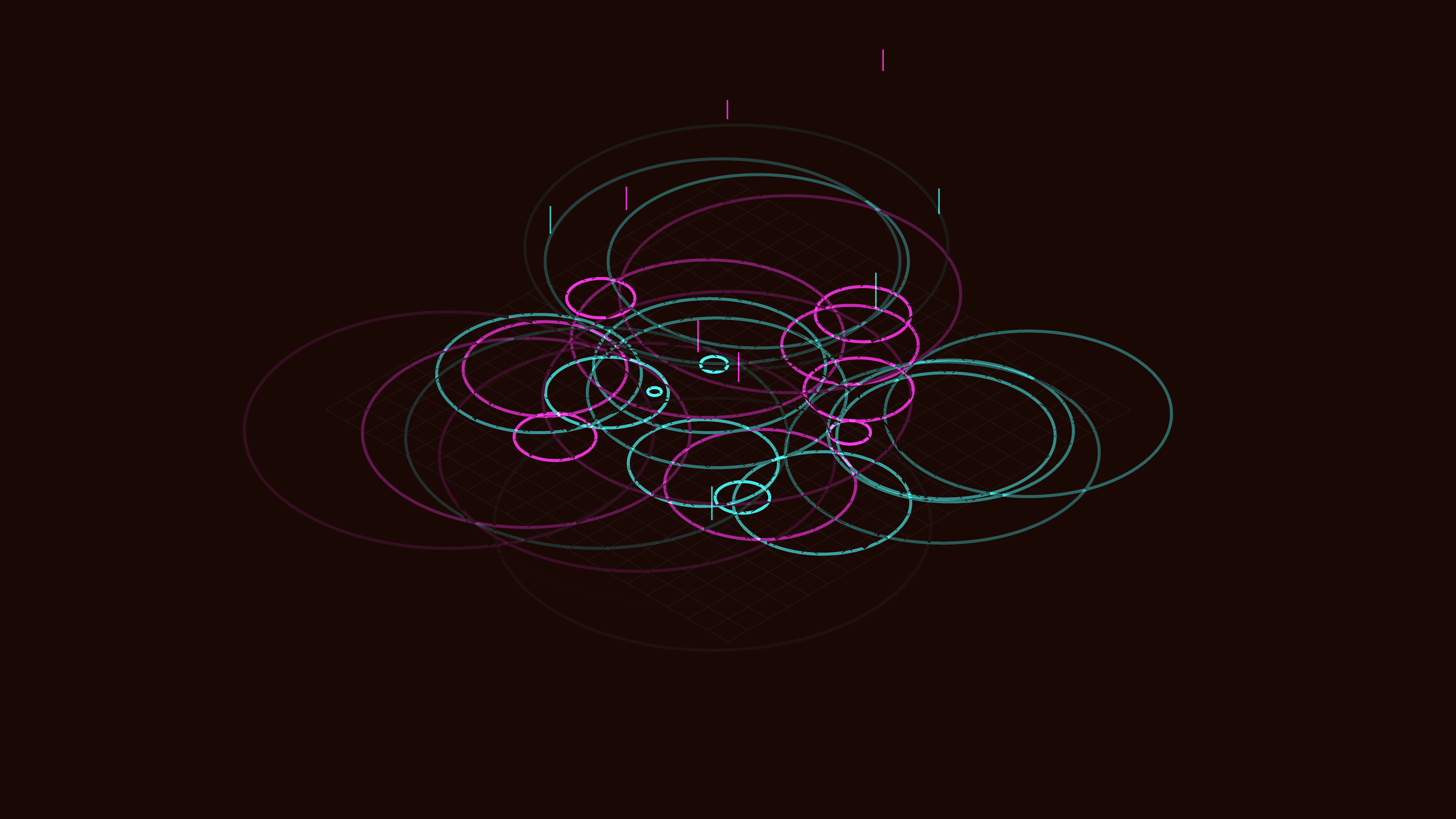
Conclusion
"Isometric Neon Rain Ripples 3D" showcases how camera projection and simple physics logic can completely transform the feel of a generative artwork. By forcing a 3D simulation into a strict isometric perspective and employing additive color blending, the code produces a moody, structured environment that feels like a weather simulation running on a futuristic mainframe.GitHub: https://github.com/asamiile/py5-media-art/tree/main/sketch/isometric_neon_rain_ripples_3d
Purchase assets: Adobe Stock