Generating Hypnotic Moiré Patterns with Python and py5
2026/8/25
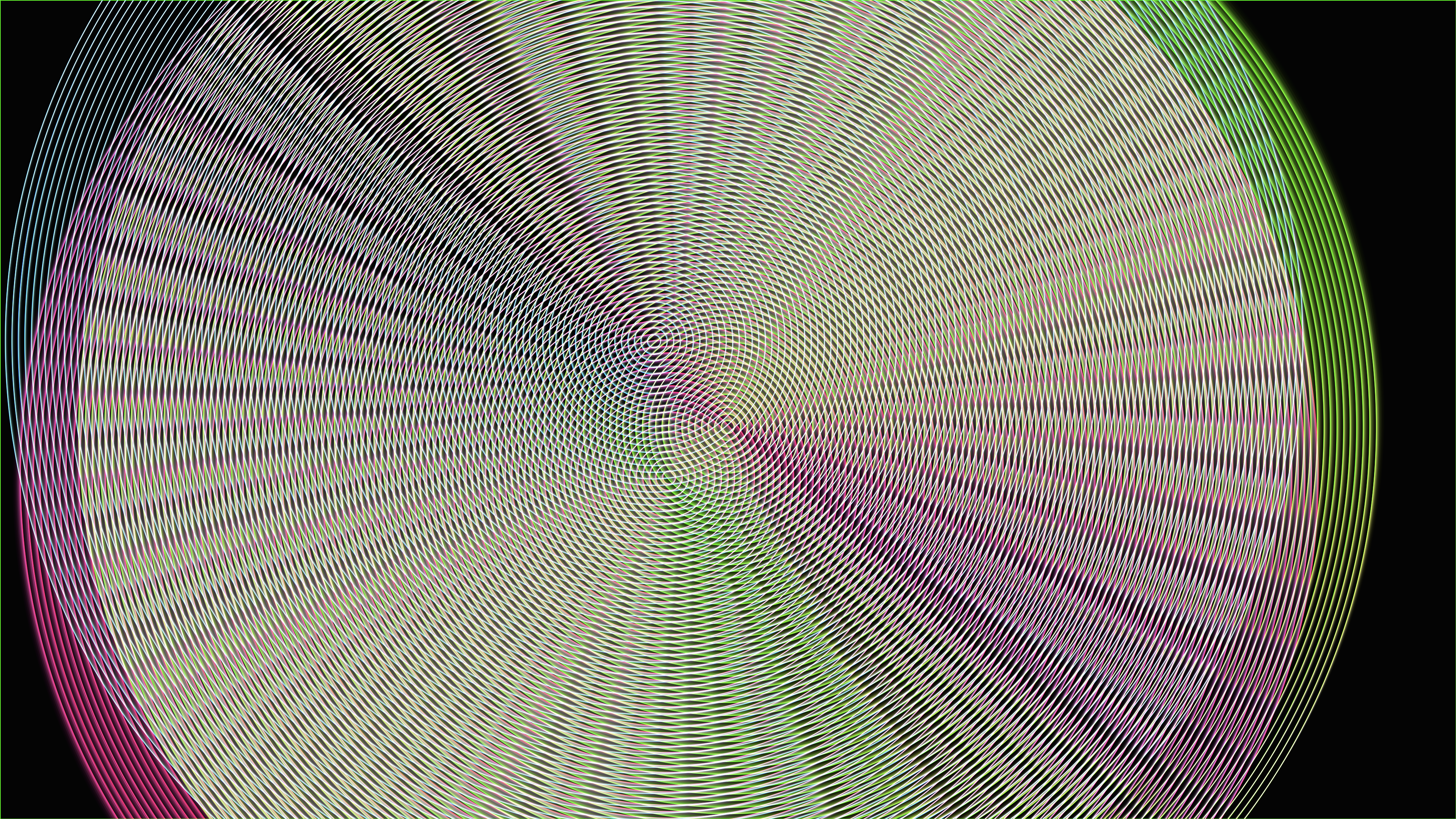
Moiré patterns—the hypnotic, rippling optical illusions that occur when two dense geometric grids overlap—are a classic staple of generative art and optical physics. By automating these interference patterns through code, we can create complex, shifting mandalas that feel both mathematically precise and strangely organic.In this experiment, I wanted to explore the intersection of Lissajous curves and Moiré interference. Using Python and py5, I built an animation of glowing, neon concentric circles that orbit each other, generating vibrant and constantly evolving geometric collisions through additive blending.
The Visual and Aesthetic Approach
The visual style is deeply rooted in cybernetic neon aesthetics. The canvas is a near-black void that never completely clears; instead, a low-opacity rectangle is drawn over the frame, creating a subtle motion blur as the geometry shifts.The core elements are three distinct sets of concentric circles. Each set consists of 100 delicately thin, highly transparent glowing lines. Because the rendering engine uses additive blending (py5.ADD), the intersecting lines don't just overlap—they combine their light values. When the dense edges of the circles cross, the light multiplies, creating intense, strobing hotspots of constructive interference that trick the eye into seeing intricate, secondary geometric shapes.Technical Breakdown: Generating the Moiré Engine
Creating a single set of concentric circles is straightforward, but for the interference pattern to work, they need to be drawn efficiently and with precise spacing. I encapsulated this logic into a dedicated function:def draw_moire_circle(cx, cy, radius, num_lines, angle_offset, hue):
py5.push_matrix()
py5.translate(cx, cy)
py5.rotate(angle_offset)
py5.stroke(hue, 80, 100, 180)
py5.stroke_weight(2.0)
for i in range(num_lines):
r = radius * (i / num_lines)
py5.circle(0, 0, r * 2)
py5.pop_matrix()This function translates the drawing matrix to the calculated center (cx, cy), sets the hue, and loops num_lines times to draw the concentric rings. The alpha is set to 180 (out of 255), keeping the individual lines semi-transparent so that the additive blending can do the heavy lifting when multiple circles intersect.
Motion Dynamics: Lissajous Curves
If the circles remained stationary, the Moiré pattern would be static. To bring the simulation to life, the center points of the three circle sets must move dynamically. I used Lissajous curves—complex harmonic motion paths created by combining sine and cosine waves of different frequencies.t = py5.frame_count * 0.005
cx1 = py5.width / 2 + np.sin(t) * 200
cy1 = py5.height / 2 + np.cos(t * 0.8) * 200
cx2 = py5.width / 2 + np.sin(t * 1.2) * 200
cy2 = py5.height / 2 + np.cos(t * 1.5) * 200
cx3 = py5.width / 2 + np.sin(t * 0.7) * 200
cy3 = py5.height / 2 + np.cos(t * 1.1) * 200By passing t (derived from the current frame count) through np.sin() and np.cos() with varying multipliers (like 0.8, 1.2, and 1.5), each circle set travels along a unique, non-repeating figure-eight or orbital path. As the three systems slide over one another, the geometry of the interference pattern shifts continuously, producing a mesmerizing, kaleidoscopic effect.