Procedural 3D Lissajous Knots with Python and NumPy
2026/9/18
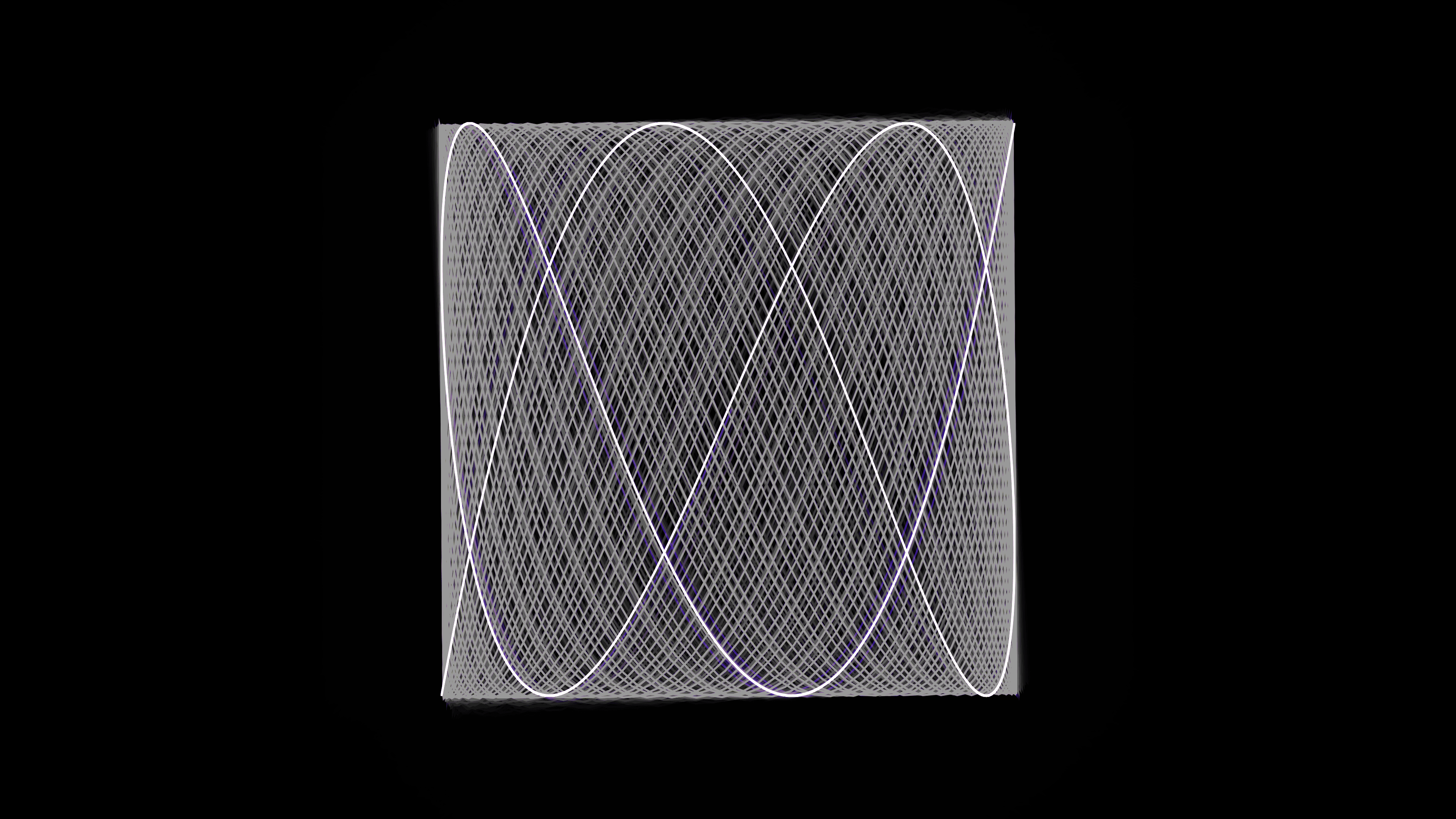
Parametric equations offer a unique way to generate complex, mathematically perfect geometry with just a few lines of code. In this sketch, Kinetic Lissajous Knot Orbitals**, I set out to visualize 3D Lissajous curves—intricate, weaving loops that resemble the structured beauty of atomic orbitals or three-dimensional Celtic knots.Visually, the piece features glowing, neon electric blue and fiery orange ribbons that twist around one another in a pitch-black void. As time progresses, the knot slowly rotates in 3D space, while the underlying mathematical parameters morph, causing the curve to untangle and retangle itself into entirely new topological structures. To achieve this smoothly in real-time, I relied heavily on Python's NumPy for rapid, vectorized trigonometry and 3D matrix rotations, passing the calculated geometry to py5 for cinematic, additive-blended rendering.
Visual & Aesthetic Approach
When drawing complex mathematical curves, the aesthetic challenge is preventing the output from looking like a sterile graphing calculator visualization. To give the knot volume and energy, I rendered it as multiple overlapping strands rather than a single line.By drawing three distinct strands, slightly offset in their phase, they appear to braid around one another. Furthermore, applying additive blending (py5.blend_mode(py5.ADD)) and giving the strokes a low opacity ensures that where the ribbons overlap in dense clusters, the colors combine into blinding, luminous hotspots. The color palette—a striking contrast between electric blue and fiery orange—shifts dynamically over time, giving the knot an ethereal, otherworldly presence.Code & Technical Breakdown
The core of this sketch relies on evaluating parametric 3D equations and manually rotating them using matrix multiplication.1. Vectorized Parametric Math
A 2D Lissajous curve is defined by $x = \sin(at+\delta)$, $y = \sin(bt)$. By extending this into the Z-dimension, we can create incredibly complex 3D knots. To animate the topology, the frequency multipliers (a, b, c) themselves are driven by slow sine waves based on the frame count.t = py5.frame_count / TOTAL_FRAMES
# Base parameters for the Lissajous knot
# Animate these slowly to make the knot morph and change topology
a = 3.0 + np.sin(t * py5.TWO_PI) * 2.0
b = 4.0 + np.cos(t * py5.TWO_PI * 1.5) * 1.0
c = 5.0 + np.sin(t * py5.TWO_PI * 0.5) * 2.0
delta = t * py5.TWO_PI * 2.0
# Generate 3000 points simultaneously using NumPy
theta = np.linspace(0, py5.TWO_PI * 10, NUM_POINTS)By generating all 3,000 points of theta in a single np.linspace call, we can compute the coordinates for the entire knot without a single Python for loop.
2. 3D Rotation via Matrix Multiplication
While py5 provides built-in 3D rendering (P3D), calculating the rotation matrices manually in NumPy and projecting them orthographically onto a 2D canvas gives us total control over the math and often yields cleaner anti-aliasing for line art.def get_rotation_matrix_3d_y(angle):
c, s = math.cos(angle), math.sin(angle)
return np.array([[c, 0, s], [0, 1, 0], [-s, 0, c]])
def get_rotation_matrix_3d_x(angle):
c, s = math.cos(angle), math.sin(angle)
return np.array([[1, 0, 0], [0, c, -s], [0, s, c]])Inside the draw loop, we calculate the XYZ coordinates for the strand, stack them into a matrix, and apply the rotation in one operation:
for s in range(num_strands):
    # Offset each strand slightly to create a braided effect
    offset_theta = theta + (s * py5.TWO_PI / num_strands)
    x_s = np.sin(a * offset_theta + delta)
    y_s = np.sin(b * offset_theta)
    z_s = np.sin(c * offset_theta)

    strand_3d = np.column_stack((x_s, y_s, z_s))

    # Apply 3D rotation via matrix multiplication
    strand_3d = strand_3d @ rot_y.T @ rot_x.T
3. Rendering Glowing Ribbons
Once the 3D points are calculated and rotated, rendering them is straightforward. We iterate through the rotated points and draw a continuous line using py5.begin_shape().# Simple orthographic projection with scale
scale = py5.height * 0.35
py5.stroke_weight(5)
py5.no_fill()
# Calculate color based on strand index and time
hue = 210 if s % 2 == 0 else 30
hue = (hue + t * 90) % 360
py5.stroke(hue, 90, 100, 80)
py5.begin_shape()
for p in strand_3d:
# We ignore Z for a perfect orthographic projection
py5.vertex(float(p[0] * scale), float(p[1] * scale))
py5.end_shape()By discarding the Z coordinate, we achieve a perfect, flat orthographic projection. The low opacity (80) combined with py5.blend_mode(py5.ADD) ensures that the multiple overlapping layers of the knot create a rich, voluminous glow.