Simulating 2D Plasma Metaballs with Additive Blending and py5
2026/9/20
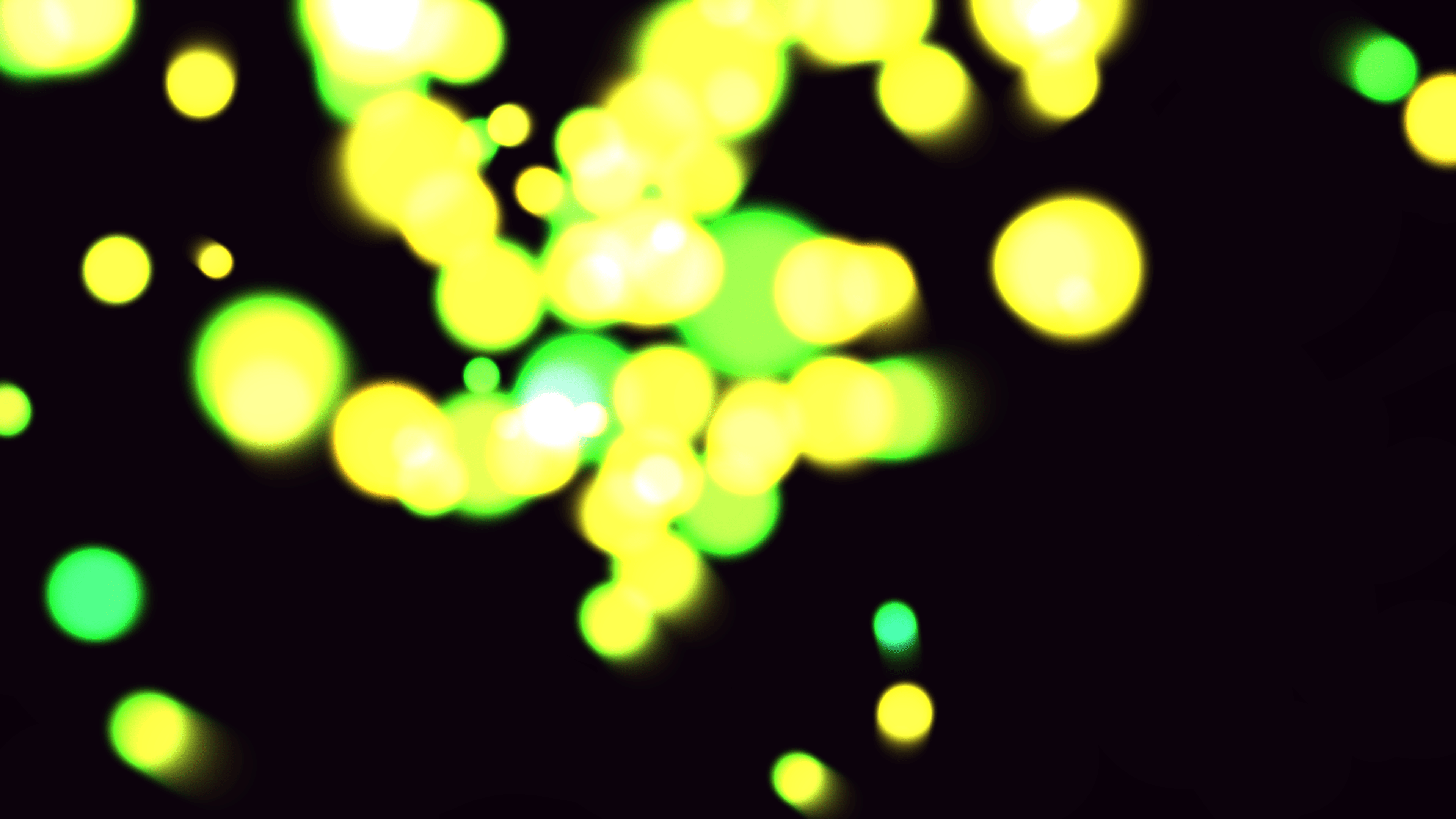
One of the most classic and satisfying visual effects in creative coding is the metaball: organic, liquid-like blobs that seamlessly merge and split apart when they come into contact. In my sketch, Kinetic Metaball Plasma Merger, I set out to simulate a dense cluster of glowing plasma globs interacting in a zero-gravity environment.The visual result is hypnotic. Soft, luminous spheres of vibrant pink, deep purple, red, and orange drift through a dark void. As they collide and overlap, their borders vanish, fusing into larger super-structures that glow with intense, blown-out white heat at their cores. Traditionally, rendering metaballs involves evaluating an implicit surface function for every pixel on the screen (often via Raymarching or the Marching Squares algorithm), which can be computationally heavy in Python. By leveraging py5, we can bypass per-pixel math entirely and achieve a stunning, real-time 60fps plasma effect using pre-rendered graphics and the mathematics of light.
Visual & Aesthetic Approach
The aesthetic goal was to evoke the feeling of superheated plasma or a futuristic, high-energy lava lamp. The simulation requires two things to sell this illusion: fluid, unpredictable motion, and seamless, glowing unions between the particles.To achieve the seamless merging, the simulation relies entirely on the physics of light rather than solid geometry. By drawing incredibly soft gradients and using additive blending (py5.blend_mode(py5.ADD)), the intersecting colors naturally sum together. Where two dim red edges overlap, they combine to form a solid, brighter red. Where multiple cores overlap, the RGB values max out, resulting in a brilliant, pure white center that naturally "blobs" together.Code & Technical Breakdown
This piece is built on a highly optimized trick: replacing expensive implicit surface calculations with a pre-rendered, soft radial brush.1. The Pre-Rendered Cubic Brush
Before the animation loop begins, we generate a single, high-resolution image of a glowing sphere. The key to making it look like plasma (rather than just a fuzzy circle) is the falloff function.BRUSH_SIZE = 600
brush = py5.create_graphics(BRUSH_SIZE, BRUSH_SIZE)
brush.begin_draw()
brush.no_stroke()
for r in range(BRUSH_SIZE, 0, -4):
# Cubic falloff for softer edges and strong center
a = 255 * (1.0 - r / BRUSH_SIZE) ** 3
brush.fill(255, 255, 255, a)
brush.circle(BRUSH_SIZE/2, BRUSH_SIZE/2, r)
brush.end_draw()By using a cubic falloff ((1.0 - distance)**3), the brush maintains a very bright, dense core that drops off extremely slowly towards the edges. This long, soft tail is what allows the particles to begin influencing each other's brightness long before their visual "cores" actually touch.
2. Fluid Motion with Curl Noise
To ensure the plasma globs move organically rather than bouncing like rigid billiard balls, their velocities are driven by 2D Perlin noise, creating a gentle curl.t = py5.frame_count * 0.01
for p in particles:
# Calculate fluid curling motion
curl_x = (py5.noise(p['x'] * 0.002, p['y'] * 0.002, t + p['noise_offset']) - 0.5) * 2
curl_y = (py5.noise(p['x'] * 0.002 + 100, p['y'] * 0.002 + 100, t + p['noise_offset']) - 0.5) * 2
# Apply momentum and curl
p['vx'] = p['vx'] * 0.98 + curl_x * 0.5
p['vy'] = p['vy'] * 0.98 + curl_y * 0.5
# Pull slightly towards the center of the canvas
dx = py5.width/2 - p['x']
dy = py5.height/2 - p['y']
dist = np.sqrt(dx*dx + dy*dy)
if dist > 0:
p['vx'] += (dx / dist) * 0.05
p['vy'] += (dy / dist) * 0.05This combination of a centering gravity well, momentum (* 0.98), and chaotic noise creates a boiling, rolling motion. The blobs constantly attempt to escape but are pulled back in, resulting in continuous collisions.
3. Rendering the Plasma
In the draw loop, we iterate through the particles, tinting the pre-rendered white brush to the particle's specific hue, and drawing it to the screen additively.py5.blend_mode(py5.ADD)
py5.color_mode(py5.HSB, 360, 100, 100, 255)
for p in particles:
# Modulate size and hue slightly over time for a breathing effect
size = BRUSH_SIZE * p['scale'] * (0.8 + 0.2 * np.sin(t * 3 + p['noise_offset']))
current_hue = (p['hue'] + py5.frame_count * 0.2) % 360
# Apply color and draw the brush
py5.tint(current_hue, 90, 100, 200)
py5.image(brush, p['x'] - size/2, p['y'] - size/2, size, size)Because brush is just a Py5 graphics object, drawing it 80 times per frame is incredibly fast, bypassing the heavy mathematics typically associated with metaballs while achieving a nearly identical, arguably more cinematic, result.