Fluid Mathematics: Rendering Liquid Marble Domain Warp in py5
2026/7/22
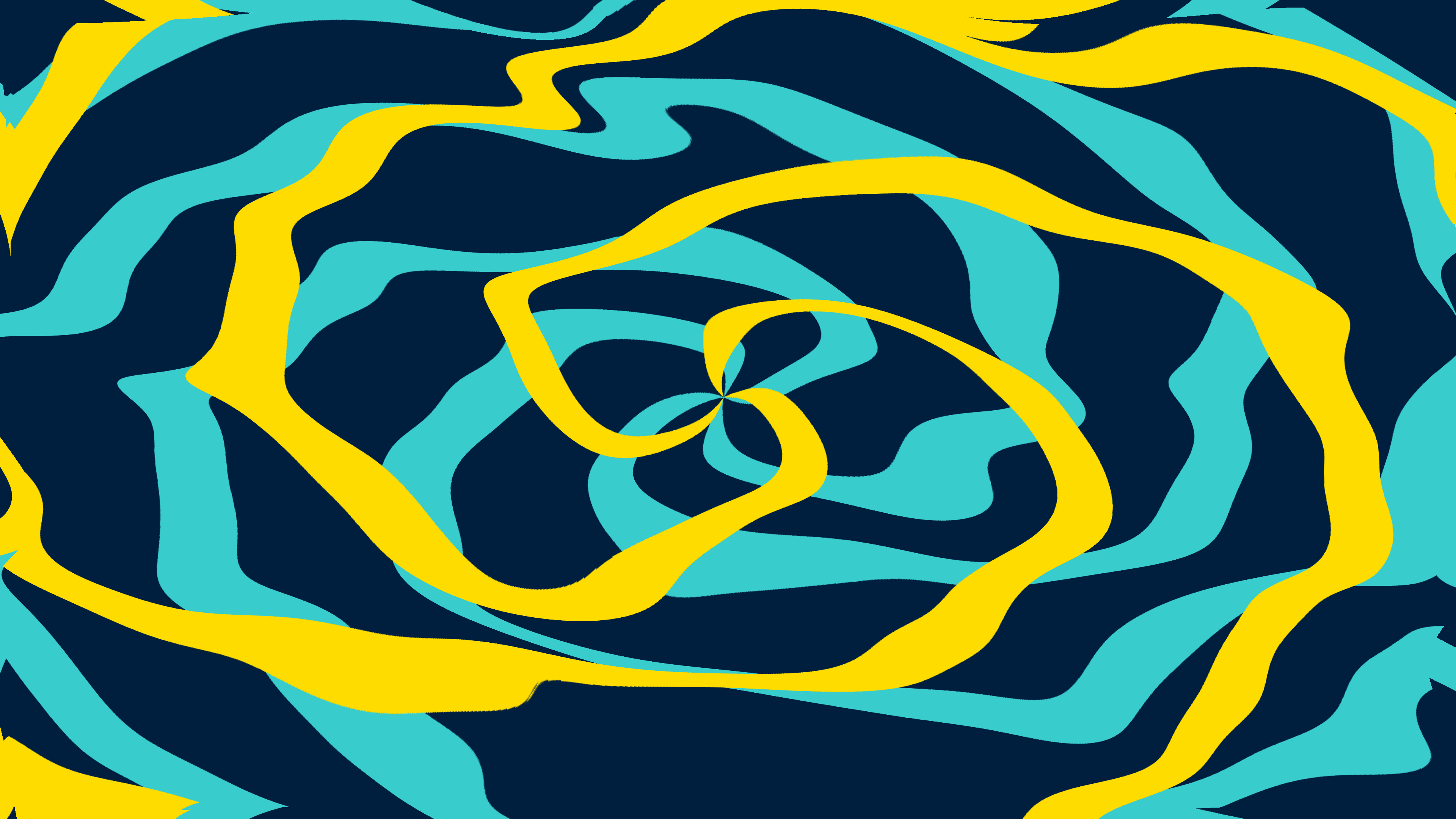
“Liquid Marble Domain Warp” is a generative media art piece that bridges the gap between raw mathematical noise and hyper-realistic fluid dynamics. The artwork presents a mesmerizing, infinite swirl of deep ocean blues, piercing cyans, and liquid gold. Rather than relying on complex, computationally expensive physical fluid simulations (like Navier-Stokes solvers), the piece utilizes an elegant mathematical technique known as domain warping. By heavily leveraging OpenCV’s hardware-optimized image manipulation functions within a py5 environment, the simulation achieves breathtaking, real-time fluid aesthetics at 4K resolution without melting the CPU.
Visual & Aesthetic Approach
The aesthetic of “Liquid Marble Domain Warp” is designed to feel incredibly dense, heavy, and opulent. The visual language mimics the swirling, marbled endpapers of antique books, but updated with a cinematic, cyberpunk-adjacent color palette.
The background is a bottomless, crushing oceanic blue. Cutting through this dark expanse are brilliant veins of cyan and blinding, highly saturated liquid gold. What makes the piece visually striking is how these colors interact. Because the artwork relies on recursive domain warping, the colors do not just mix; they fold into each other infinitely. Thick bands of gold are stretched out into microscopic, razor-thin filaments, only to be crushed back together by the invisible “currents” of the underlying noise map. The resulting animation feels organic and chaotic, yet it possesses a smooth, buttery frame rate that betrays the rigid mathematics operating under the hood.
Code & Technical Breakdown
The secret to the artwork’s performance is that it completely avoids generating noise on the fly. Generating complex Perlin or Simplex noise for every pixel, every frame, at 4K resolution is impossible to do in real-time in Python. Instead, the simulation pre-calculates a complex interference pattern during the setup phase.
# From global scope
def generate_noise_map(w, h, scale):
    """Generate a simple low-frequency noise map using sine waves for displacement."""
    x = np.linspace(0, scale * np.pi * 2, w)
    y = np.linspace(0, scale * np.pi * 2, h)
    X, Y = np.meshgrid(x, y)

    # Complex interference pattern
    N1 = np.sin(X + np.cos(Y))
    N2 = np.cos(Y - np.sin(X))
    N3 = np.sin(X * 0.5 - Y * 1.5)

    noise = (N1 + N2 + N3) / 3.0
    return noise.astype(np.float32)

# Generate base maps
map_u = generate_noise_map(W, H, 3.0)
map_v = generate_noise_map(W, H, 2.5)
Why this works: Rather than using traditional noise, the generate_noise_map() function uses np.meshgrid to create an array of $(X, Y)$ coordinates, and then calculates the interference of three separate, interacting sine waves. This creates a beautifully organic, undulating heightmap. Because this is done using NumPy vectors, it is calculated almost instantly. The script generates two distinct maps (map_u and map_v), which will dictate how the pixels are pushed horizontally and vertically during the animation.
Once the underlying “currents” are established, the animation loop uses these static maps, combined with time, to physically warp the pixels of the image.
# From draw()
# Animate displacement map over time
# We mix the static noise maps with time-varying offsets
disp_x = map_u * np.cos(t * 0.2) + map_v * np.sin(t * 0.3)
disp_y = map_u * np.sin(t * 0.25) - map_v * np.cos(t * 0.35)

# Amplify displacement
strength = 150.0 + 50.0 * np.sin(t * 0.1)

# Final remap coordinates
map_x = (map_x_base + disp_x * strength).astype(np.float32)
map_y = (map_y_base + disp_y * strength).astype(np.float32)

# Apply domain warp
warped = cv2.remap(rgb_texture, map_x, map_y, cv2.INTER_LINEAR, borderMode=cv2.BORDER_REFLECT)
Why this works: This is the core of the domain warping technique. Instead of moving the colors around, the code manipulates the coordinates used to sample the colors. disp_x and disp_y are created by multiplying the static pre-calculated noise maps by slowly oscillating time variables (np.cos(t * 0.2)). This simulates flowing, shifting currents. These displacement values are added to the base coordinate grid (map_x_base, map_y_base).
The heavy lifting is done by OpenCV’s cv2.remap(). This function takes the original base texture (the rigid bands of blue, cyan, and gold) and looks up the new pixel colors using the distorted map_x and map_y grids. Because OpenCV is heavily optimized in C++, this operation can warp millions of pixels in a fraction of a second.
To achieve the infinite, recursive fractal look, the code simply applies the warp a second time.
# From draw()
# Add second layer of warp for fractal "fBM" effect
disp_x2 = cv2.remap(map_u, map_x, map_y, cv2.INTER_LINEAR)
disp_y2 = cv2.remap(map_v, map_x, map_y, cv2.INTER_LINEAR)

map_x2 = (map_x_base + disp_x2 * strength * 0.5).astype(np.float32)
map_y2 = (map_y_base + disp_y2 * strength * 0.5).astype(np.float32)

final_warped = cv2.remap(warped, map_x2, map_y2, cv2.INTER_LINEAR, borderMode=cv2.BORDER_REFLECT)
Why this works: This is where domain warping becomes magical. The code takes the displacement maps themselves (map_u and map_v) and warps them using the distortions calculated in the previous step. It then uses these doubly-distorted maps to warp the already warped image. This is mathematically equivalent to Fractional Brownian Motion (fBM). By feeding the output of the distortion back into the distortion function, the broad, sweeping curves are forced to break down into smaller, tighter, infinitely complex fractal details, creating the hyper-realistic liquid marble effect.
Conclusion
“Liquid Marble Domain Warp” is a masterclass in algorithmic efficiency and visual density. By sidestepping traditional particle physics in favor of pure image distortion, the artwork achieves incredibly complex fluid dynamics without sacrificing performance. The marriage of py5’s elegant canvas management and OpenCV’s raw, hardware-optimized speed provides a powerful toolkit for creative coders. It proves that with the right mathematical approach, a few simple sine waves can be folded into a masterpiece of liquid gold.
GitHub: https://github.com/asamiile/py5-media-art/tree/main/sketch/liquid_marble_domain_warp
Purchase assets: Adobe Stock